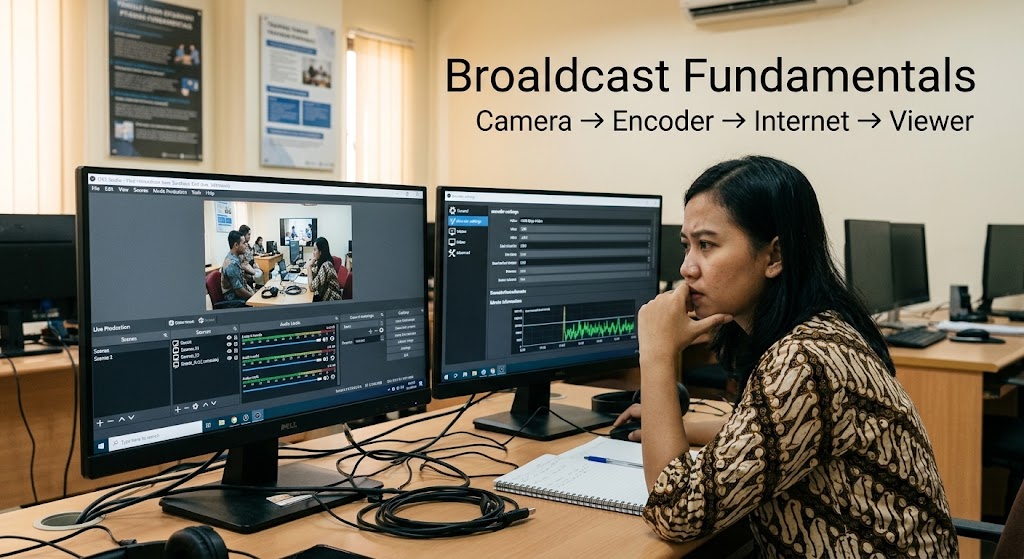
Encoding, bitrate, and server routing can feel brutal when you have to absorb them in a few weeks. A streaming bootcamp can become a real pressure cooker for tech professionals attempting a fast career transition into live production. The catch is that technical knowledge only becomes useful when you can connect the pieces under live conditions.
This 30-day approach is less about memorizing settings and more about building a working mental model. OBS itself organizes production around scenes, sources, filters, and Studio Mode, while YouTube’s current guidance ties bitrate to resolution, frame rate, codec, and network capacity.
1. Week One In A Streaming Bootcamp Is About Broadcast Fundamentals And Surviving The Information Overload
The first week should feel uncomfortable, because you’re learning how a live signal actually moves. A useful streaming bootcamp shouldn’t throw advanced encoder settings at students before explaining the basic chain from camera or screen to encoder, internet connection, ingest server, and viewer. Cloudflare’s current architecture similarly separates live input from processing and playback, which makes that signal path worth understanding early.
Days 1 to 3 Build The Mental Map
Start with the workflow rather than individual buttons. OBS describes scenes and sources as the core of a production, allowing cameras, displays, games, browser content, images, and audio to become part of the broadcast.
By the third day, you should be able to explain why a stream can look perfect inside OBS but still fail somewhere between your computer and the viewer.
Bitrate Finally Stops Looking Like A Random Number
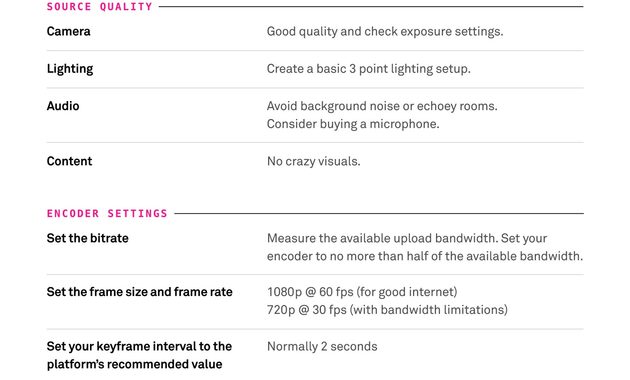
Bitrate is tied to resolution, frame rate, codec, and network capacity, so simply pushing it higher isn’t automatically better. YouTube currently lists 10 Mbps as its recommended H.264 bitrate for 1080p at 30 fps and 12 Mbps for 1080p at 60 fps, while also stressing that the connection must be tested for reliability.
That distinction matters because an unstable high-bitrate stream can be worse than a lower-quality stream that actually reaches viewers consistently.
The First Test Stream Is A Diagnostic Tool
Run a private or unlisted test before worrying about presentation polish. YouTube recommends testing audio and movement similar to the real broadcast and monitoring stream health during the event, which makes testing part of the production workflow rather than an optional extra.
A simple first-week checklist is enough:
- Configure the encoder.
- Test upload capacity.
- Check audio and video.
- Watch the stream from another device.
- Record every failure and its fix.
The Week One Fatigue Is Normal
The mental exhaustion comes from connecting concepts that previously lived in separate boxes. Once bitrate, encoding, sources, and network behavior start fitting together, the learning curve usually becomes less chaotic.
2. Weeks Two And Three Turn Intensive Training Into Practical Video Engineering
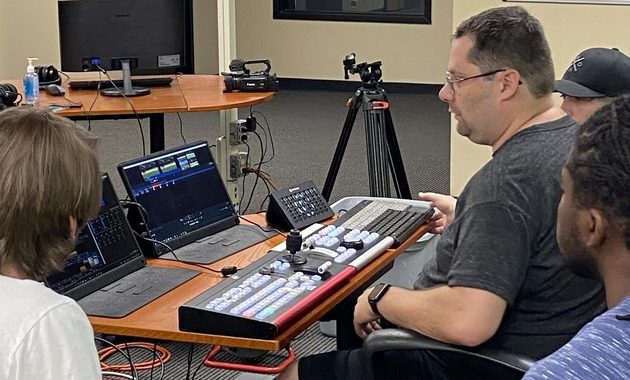
Week two is where the classroom starts becoming a workshop. This stage should focus on video engineering, troubleshooting, and controlled failure instead of adding endless theory to an already crowded head. The goal is simple: make something fail, understand why, and recover without freezing.
Break The Setup Before The Setup Breaks You
Disconnect the microphone, reduce available bandwidth, change a source, overload the encoder, or interrupt the network during practice. Real training programs increasingly use hands-on labs and simulated live scenarios because practical assessment reveals whether someone can actually operate the workflow.
Failure becomes useful when you can identify its location instead of randomly changing five settings at once.
Keyframes And Codecs Need Context
You don’t need to become a compression researcher, but you should understand what keyframes, codecs, frame rate, and bitrate actually influence. YouTube currently recommends a 2-second keyframe interval and specifies CBR encoding for its live workflow, while supporting H.264, H.265, and AV1 depending on the setup.
The important lesson is not memorization; it’s knowing which setting to investigate when quality, latency, or stability changes.
Server Routing Becomes Easier Once The Pipeline Makes Sense
Server routing sounds intimidating until you stop treating it as a mysterious cloud problem. Cloudflare Stream, for example, accepts live broadcasts through RTMPS or SRT and provides a live input that can then be previewed and delivered to viewers.
That gives a trainee a practical way to think about where a failure might occur.
The Midpoint Is Where Career Switchers Usually Feel Stuck
By week three, the excitement of learning something new often disappears. That’s actually a useful moment because repetition starts replacing novelty, and this is where a serious tech skill transition differs from watching tutorials for entertainment.
Repeat the same workflow until you can configure it without constantly searching for instructions.
3. Week Four Tests The Tech Skill Transition With A Real Live Broadcast
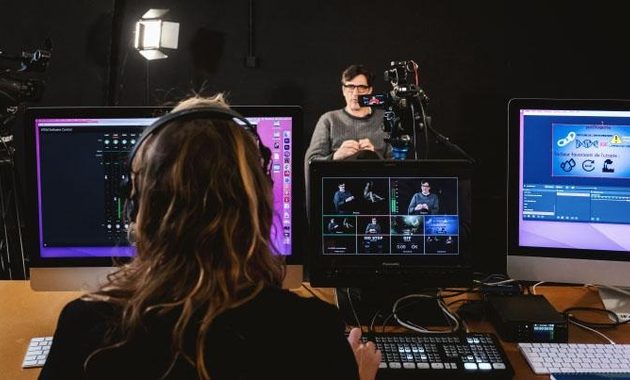
The final week should stop feeling like school and start feeling like production day. This is where broadcast fundamentals meet troubleshooting, time pressure, and the practical decisions required during a real broadcast. If the course only ends with a multiple-choice quiz, that’s a weakness because live production is fundamentally operational.
Build The Broadcast From A Blank Project
Create the scenes, connect the sources, configure audio, set the encoder, test the network, and prepare the stream without relying on a perfectly prepared template. OBS’s Studio Mode is specifically designed to let operators prepare scene changes before exposing them to viewers, making it useful for practicing controlled live production.
That final rehearsal should be as close to the real job as possible.
Add A Controlled Failure To The Final Exam
A practical assessment becomes much more valuable when something intentionally goes wrong. The instructor might introduce an audio problem, unstable connection, missing source, or encoder issue and evaluate whether the trainee can isolate the problem before applying a fix.
That’s also why professional streaming requires judgment rather than a collection of memorized settings.
Review The Stream Like An Engineer
After the broadcast, review stability, audio, video quality, recovery time, and every technical mistake. Don’t just ask whether the stream worked because a stream can technically stay online while still delivering a poor viewer experience.
Write down what failed, why it failed, and what you would change before the next production.
The 30-Day Finish Line Is Competence, Not Mastery
Thirty days can accelerate learning, but it cannot turn a newcomer into a senior broadcast engineer overnight. It can, however, create a solid foundation if the student finishes with hands-on experience, troubleshooting practice, and a repeatable workflow.
Before enrolling, it is worth checking common mistakes people make before joining a livestreaming bootcamp so you can distinguish genuine practical training from a course that simply repackages basic tutorials.
The best sign is straightforward: by day 30, you should be able to build, test, operate, troubleshoot, and review a live broadcast without someone holding your hand.

Natsumi Kurose is a former digital learning coordinator who spent more than eight years helping universities, language schools, and professional training providers deliver live online classes.
She has worked with instructors on camera preparation, audience interaction, webinar structure, and technical rehearsal. Her writing focuses on livestreaming education, practical skills, online certifications, and learning programs for aspiring hosts and digital media professionals.