Livestreaming is no longer only about pressing a button and talking in front of a camera. For many people, it has become a real digital media skill. Students, small creators, online sellers, teachers, event hosts, and even business teams now use live video to communicate with audiences in real time.
That is why learning livestreaming can be useful for beginners who want to build a stronger digital media career. The skill is not only about being confident on camera. It also includes planning, communication, basic technology, audience reading, content structure, and online safety.
For beginners, the good news is simple: livestreaming skills can be learned step by step. You do not need a perfect studio from the first day. You need a clear learning path, consistent practice, and the ability to understand what makes a live session useful for the audience.
Why Livestreaming Skills Matter In Digital Media
Livestreaming has become part of online education, social media, e-commerce, entertainment, webinars, product launches, and professional communication. A person who understands how live content works can support many kinds of digital projects.
Unlike recorded videos, livestreaming happens in real time. This makes it more exciting, but also more challenging. There is less room to hide mistakes. The host needs to respond, explain, adjust, and keep the audience engaged while the session is still running.
For digital media careers, this skill can be useful in roles such as:
- content creator
- online host
- digital marketing assistant
- community manager
- webinar coordinator
- live shopping assistant
- social media specialist
- online course facilitator
- event production support
Livestreaming is like a small stage with a moving floor. Everything can change quickly. A strong beginner needs more than courage. They need practical skills that help them stay ready.
7 Livestreaming Skills Beginners Should Learn
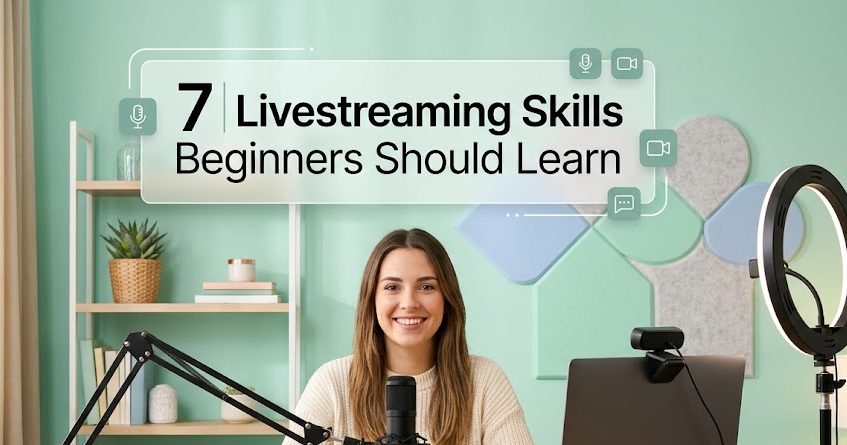
Before beginners think about expensive tools or perfect studio setups, they need to understand the core skills that make a live session useful. These skills help creators communicate better, prepare content, and handle the small problems that often appear during live broadcasts.
1. Clear Communication
Clear communication is the first skill every beginner should build. A live session can quickly feel messy when the speaker jumps from one idea to another without structure.
Good communication does not mean speaking like a professional presenter from the first day. It means the audience can follow what you are saying.
A beginner should practice:
- opening the session clearly
- explaining the topic in simple language
- repeating important points when needed
- avoiding long empty pauses
- closing the session with a clear summary
For example, instead of starting with random greetings for five minutes, a host can say:
“We will talk about three simple ways to improve your first livestream setup today.”
That kind of opening tells viewers what to expect. It makes the live session feel more organized.
2. Content Planning
Many beginners think livestreaming is spontaneous. It can be, but a useful live session still needs planning.
Content planning helps the host avoid awkward silence and repeated points. It also helps the session stay focused.
A simple livestream plan can include:
| Part | Purpose |
|---|---|
| Opening | Welcome viewers and introduce the topic |
| Main Points | Explain the main content clearly |
| Interaction | Answer questions or respond to comments |
| Recap | Summarize the key message |
| Closing | Tell viewers what to do next |
Beginners do not need a long script. A simple outline is enough. Think of it as a small map. Without it, the live session can wander into the forest and forget the road home.
3. Basic Camera Presence
Camera presence is not about looking perfect. It is about looking comfortable enough so the audience feels comfortable too.
Many beginners look stiff during their first live session. That is normal. The camera can feel like a cold little eye staring from the desk.
To improve camera presence, beginners can practice:
- looking at the camera when explaining key points
- sitting or standing with good posture
- using natural facial expressions
- avoiding too much movement
- speaking at a steady pace
The goal is not to become dramatic. The goal is to look present, calm, and aware.
4. Audio Awareness
Audio quality often matters more than video quality. Viewers may forgive a simple camera, but they usually leave faster when the sound is unclear.
Beginners should learn basic audio awareness before worrying about expensive tools.
Important audio checks include:
- Is the room too noisy?
- Is the microphone too far?
- Is the voice too quiet?
- Is there an echo?
- Is background music too loud?
A simple microphone can help, but even a quiet room and proper device placement can make a big difference.
Bad audio is like fog on a road. The message may still be there, but the audience has to work too hard to find it.
5. Audience Engagement
Livestreaming is different from a recorded video because viewers can react in real time. That interaction is one of the strongest parts of live content.
Beginners should learn how to make viewers feel included without losing control of the topic.
Simple engagement techniques include:
- asking short questions
- reading selected comments
- saying thank you to viewers who join
- using polls if available
- inviting viewers to share their experience
- answering questions at a specific time
However, engagement should not become chaos. A host needs balance. Too little interaction feels cold. Too much interaction can pull the session away from the main topic.
6. Technical Readiness
A beginner does not need to become a streaming engineer, but basic technical readiness is important.
Before going live, check:
- internet connection
- camera
- microphone
- lighting
- battery or charger
- platform login
- title and description
- privacy or visibility settings
This kind of preparation helps prevent small problems from becoming big distractions.
A live session can fall apart because of simple things: low battery, wrong microphone, weak Wi-Fi, or forgetting to check the camera angle. Technical readiness is the quiet worker behind a smooth session.
7. Digital Safety Awareness
Livestreaming happens in public or semi-public spaces. Beginners should understand digital safety before sharing too much.
Safety awareness includes:
- avoiding private information on screen
- checking background objects
- managing comments
- understanding platform rules
- avoiding suspicious links
- being careful with guest access
- knowing how to end or pause a session if needed
This is especially important for students, young creators, and small business owners. A live session moves quickly, and one careless moment can spread wider than expected.
How Beginners Can Practice These Skills
Beginners can improve livestreaming skills without going public immediately.
Start With Private Practice
Record a short practice session and watch it again. Notice your speaking pace, sound quality, and structure. It may feel awkward, but it is useful.
Use A Small Topic First
Do not start with a huge topic. Choose something simple, such as:
- explaining one tool
- sharing three tips
- answering common questions
- giving a short product demo
- teaching one basic concept
Small topics are easier to manage.
Create A Repeatable Checklist
Before every live session, use the same checklist. This helps reduce panic.
Example checklist:
- topic ready
- outline ready
- camera checked
- microphone checked
- internet stable
- background clean
- water nearby
- closing sentence prepared
A checklist may look boring, but it can save a beginner from many tiny disasters.
Common Mistakes Beginners Should Avoid
Many beginners fail not because they lack talent, but because they start without structure. Avoiding a few common mistakes can make the learning process smoother.
Trying To Look Perfect
Perfection can make beginners delay practice forever. It is better to start with a simple session and improve slowly.
Ignoring The Audience
A livestream is not only a speech. Viewers need small signs that the host knows they are there.
Going Live Without A Topic
A live session without a clear topic can feel empty. Even casual live sessions need a basic direction.
Using Too Many Tools Too Soon
Beginners often want overlays, effects, multiple cameras, and advanced software too early. Start simple. Add tools only when they solve a real problem.
Final Thoughts
Livestreaming can become a valuable digital media skill when beginners learn it with the right mindset. It is not only about being loud, popular, or always online. It is about communication, planning, technical awareness, audience understanding, and safe digital behavior.
For anyone interested in a digital media career, livestreaming can open useful paths. The skill may start with one simple live session, but over time, it can grow into hosting, teaching, selling, producing, or managing online communities and events.
A strong livestreamer is not born in one perfect broadcast. The skill grows slowly, like a signal becoming clearer after the noise fades.

Natsumi Kurose is a former digital learning coordinator who spent more than eight years helping universities, language schools, and professional training providers deliver live online classes.
She has worked with instructors on camera preparation, audience interaction, webinar structure, and technical rehearsal. Her writing focuses on livestreaming education, practical skills, online certifications, and learning programs for aspiring hosts and digital media professionals.