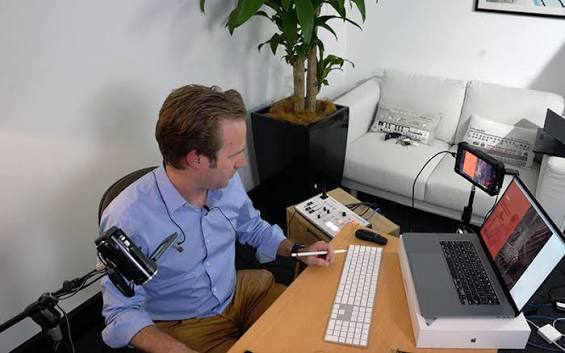
Livestreaming courses can help beginners learn faster because they give structure to a skill that often feels messy at the start. Many people think livestreaming is only about turning on a camera, talking for a while, and hoping viewers stay. In real practice, it needs planning, speaking skills, simple technical awareness, and the ability to handle real-time situations.
For beginners, learning alone can feel like walking into a room with too many switches. Camera, lighting, audio, topic, script, platform settings, audience comments, and internet connection all want attention at the same time. Without guidance, it is easy to feel busy but not really improve.
That is where a course can help. A good course does not magically make someone a perfect creator overnight. Still, it can give a clearer path, reduce confusion, and help beginners practice the right things earlier.
Why Beginners Often Struggle To Learn Livestreaming Alone
Learning livestreaming alone can work, but it usually takes more time because beginners do not always know what to fix first. One person may spend days choosing a camera while ignoring poor audio. Another may buy a microphone but never plan the session structure. The effort is there, but the direction is blurry.
Too Many Skills Appear At Once
Livestreaming combines different skills in one activity. A beginner has to think about content, performance, audience, and technology at the same time.
Some common beginner questions include:
- What should I say in the first minute?
- Is my microphone clear enough?
- How long should the session be?
- What if nobody watches?
- Should I use a script or speak naturally?
- How do I respond to comments?
- What platform setting should I use?
When all of these questions arrive together, the learning process can feel heavier than it should be. A course helps separate the noise into smaller steps.
Random Tutorials Can Create Confusion
Free tutorials are useful, but they are often scattered. One video talks about lighting, another explains software, another focuses on monetization, and another assumes the viewer already understands basic setup.
For beginners, this can create a strange loop. They learn many small tips, but the tips do not always connect. It is like collecting puzzle pieces from different boxes. Some pieces are useful, but the full picture never appears.
5 Positive Reasons Livestreaming Courses Help Beginners Learn Faster
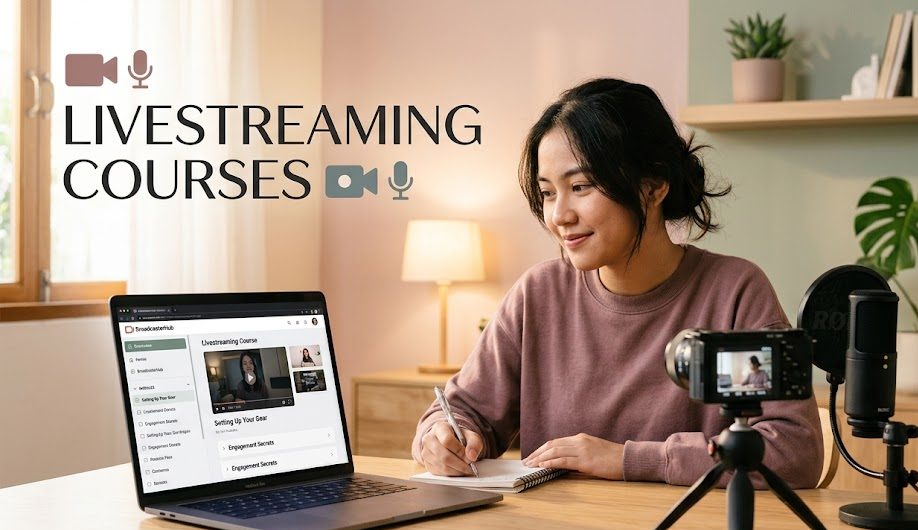
A course becomes useful when it gives beginners a path, not just information. The real value is not only in the lessons, but in how the lessons are arranged, practiced, and reviewed.
1. Courses Give A Clear Learning Path
The first positive reason is structure. A good livestreaming course usually starts from the basics before moving into more advanced topics.
Instead of jumping from camera settings to audience monetization in one breath, beginners can learn in order:
| Learning Stage | What Beginners Usually Learn |
|---|---|
| Foundation | What livestreaming is and how live sessions work |
| Preparation | Topic planning, basic scripts, and setup checklist |
| Technical Basics | Camera, audio, lighting, and internet connection |
| Presentation | Speaking flow, confidence, and audience interaction |
| Improvement | Reviewing performance and fixing weak points |
This structure matters because beginners need direction. Without it, they may practice hard but still miss important basics.
A learning path also makes progress feel more visible. When beginners know what stage they are in, they are less likely to feel lost or compare themselves too harshly with experienced creators.
2. Courses Help Beginners Avoid Common Mistakes
Many livestreaming mistakes are simple, but they can ruin the session quickly. Bad audio, unclear topics, messy backgrounds, weak internet, or awkward silence can make beginners feel discouraged.
A course can introduce these problems before they happen.
For example, beginners may learn to check:
- room noise before going live
- microphone distance
- camera angle
- session title
- internet stability
- opening sentence
- closing message
- comment moderation settings
This saves time because beginners do not have to learn every lesson through failure. Mistakes will still happen, of course. That is part of learning. But a course can help reduce the painful, avoidable ones.
Good training is like a small lamp on a dark hallway. It does not remove every obstacle, but it helps beginners stop bumping into the same chair again and again.
3. Courses Make Practice More Focused
Practice is important, but not all practice creates improvement. A beginner can go live ten times and still repeat the same mistakes if they never review what went wrong.
Livestreaming courses often include practice tasks, checklists, or exercises. These activities help beginners focus on one skill at a time.
For example:
- practice a 30-second opening
- record a short product explanation
- test audio in two different rooms
- create a simple three-point outline
- respond to sample viewer questions
- review body language on camera
Focused practice is easier to measure. Instead of saying, “I want to get better at livestreaming,” beginners can say, “I want to improve my opening, audio, and topic flow this week.”
That small difference matters. Clear practice creates clearer progress.
4. Courses Can Build Confidence Through Feedback
One of the hardest parts of livestreaming is confidence. Many beginners are not afraid of the technology only. They are afraid of being watched, judged, ignored, or making mistakes in real time.
A course can help by giving feedback. This feedback may come from instructors, peers, worksheets, examples, or self-review tasks.
Feedback helps beginners notice things they may not see alone, such as:
- speaking too fast
- looking away from the camera too often
- using too many filler words
- explaining without structure
- ignoring viewer questions
- ending the session too suddenly
Confidence grows when beginners understand what to improve. Without feedback, they may only feel that something is wrong, but not know what it is.
A course also gives a safer space to practice before facing a real audience. That space can make the first public livestream feel less like jumping off a roof and more like stepping onto a small bridge.
5. Courses Connect Livestreaming With Real Digital Media Skills
The final positive reason is that courses can show beginners how livestreaming connects with wider digital media skills.
Livestreaming is not an isolated skill. It connects with:
- content planning
- audience communication
- digital marketing
- online teaching
- video production
- personal branding
- community engagement
- platform awareness
- basic analytics
This is important for readers who want to use livestreaming for career growth. A beginner may start by learning how to host a simple live session, but later use the same skill for webinars, online selling, digital training, product demos, or creator work.
A course can help beginners see that livestreaming is not just an online performance. It can become part of a larger skill set in digital media.
What To Look For Before Choosing A Livestreaming Course
Not every course is worth taking. Beginners should choose carefully because a course that is too advanced, too vague, or too focused on hype can waste time.
Check The Course Level
Beginners should look for courses that clearly mention beginner-friendly lessons. If the course starts with advanced software or complex production setups, it may feel overwhelming.
A good beginner course should explain:
- basic equipment
- simple planning
- speaking structure
- common mistakes
- platform basics
- practice exercises
Look For Practical Lessons
A useful course should include practice, not only theory. Livestreaming is a doing skill. Reading about it helps, but practice turns knowledge into ability.
Beginners should look for lessons that include checklists, examples, assignments, or real setup demonstrations.
Avoid Courses That Promise Instant Success
Be careful with courses that promise fast fame, instant income, or guaranteed viral results. Livestreaming can create opportunities, but it still needs time, skill, consistency, and audience trust.
A good course should feel realistic. It should teach useful skills, not sell a golden shortcut wrapped in shiny words.
Final Thoughts
Livestreaming courses can help beginners learn faster because they make the learning process more structured, focused, and practical. They can reduce confusion, prevent common mistakes, build confidence, and connect livestreaming with broader digital media skills.
For beginners, the best course is not always the most expensive or the most popular. The best course is the one that matches their current level, gives clear practice, and helps them improve step by step.
Livestreaming may begin with one camera and one nervous voice, but with the right learning path, that small start can grow into a useful digital media skill.

Natsumi Kurose is a former digital learning coordinator who spent more than eight years helping universities, language schools, and professional training providers deliver live online classes.
She has worked with instructors on camera preparation, audience interaction, webinar structure, and technical rehearsal. Her writing focuses on livestreaming education, practical skills, online certifications, and learning programs for aspiring hosts and digital media professionals.

1 comment
Comments are closed.